
If you own a Minecraft server and want to attract more players, increase your visibility and improve your ranking on Google, adding your server to ListaMC is one of the most powerful strategies you can apply today. ListaMC is one of the largest Minecraft server directories, visited daily by thousands of players searching for new servers to join.
In this full guide, you will learn step by step how to add your Minecraft server to ListaMC, how to optimize your server page, how to configure Votifier, and how to improve your reach to gain more players.
What is ListaMC and why you should list your server
ListaMC is a platform where players can discover servers, vote, and explore detailed stats. Listing your server gives you several benefits:
- Your server appears on high-traffic lists;
- You receive organic traffic from players interested in your game mode;
- You can activate Votifier to receive votes directly;
- Your server gains a higher ranking position over time;
- Good descriptions improve your Google indexing and visibility.
How to add your server to ListaMC
Follow this complete step-by-step tutorial to fill out all details correctly.
1. Click “Add Server” on the homepage
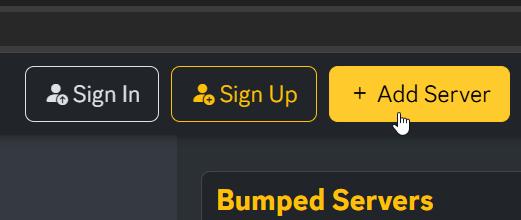
Go to listamc.com and click the Add Server button at the top of the website.
2. Log in or create your account
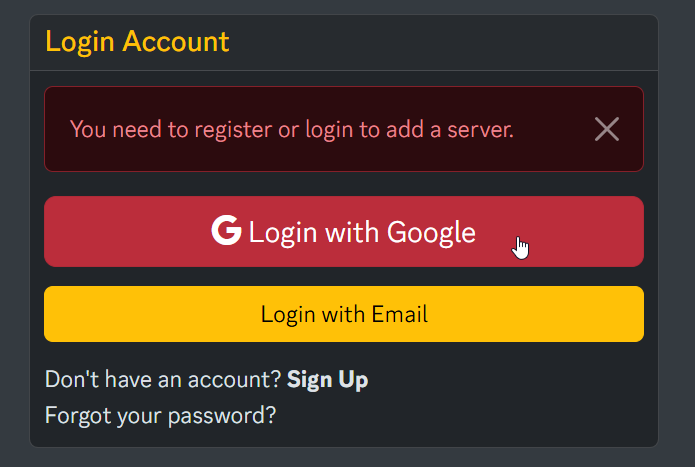
You will be redirected to the login page if you're not signed in. The fastest option is logging in with your Google account.
3. Fill in your server’s basic information
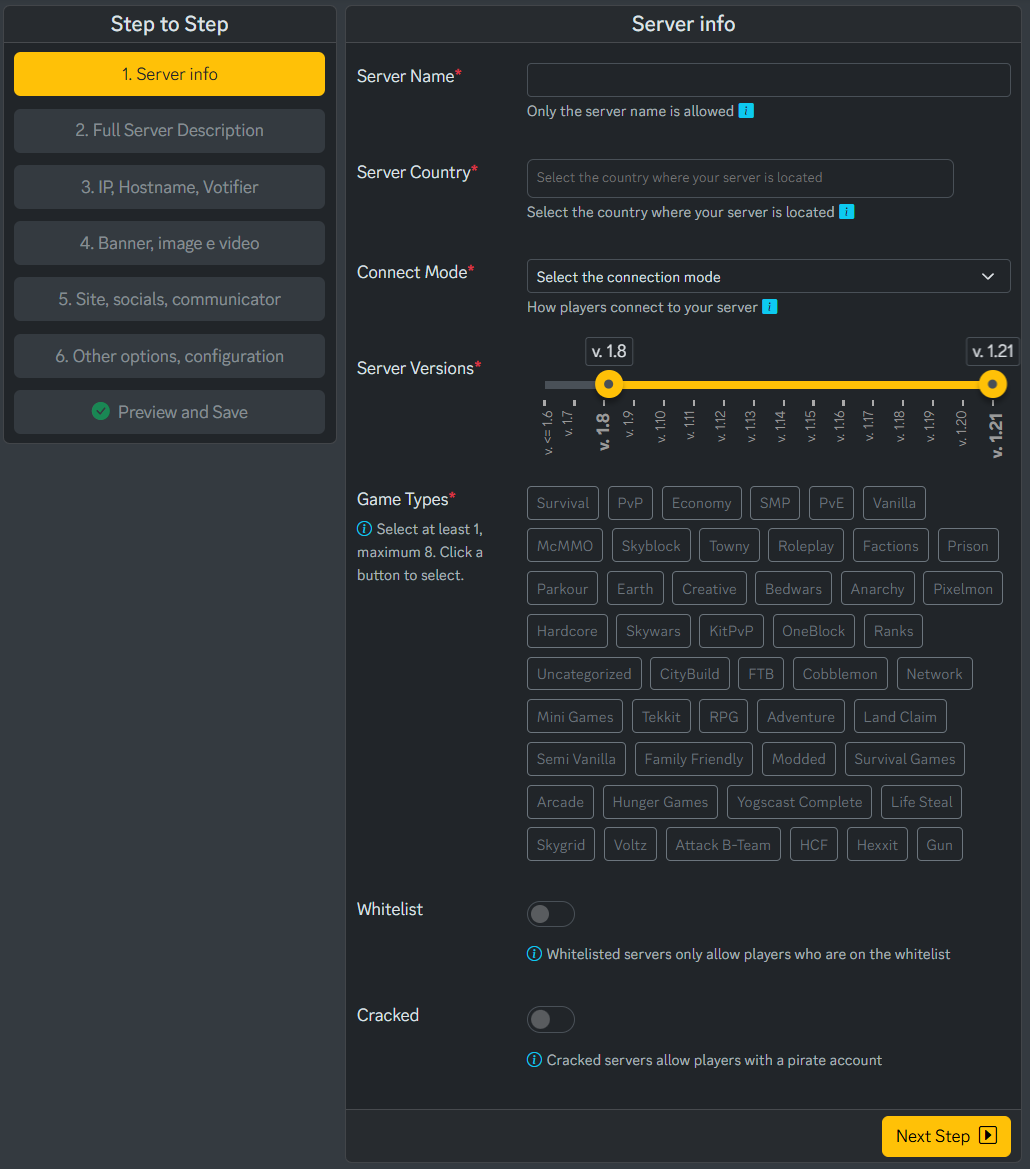
- Server Name: Your server’s name.
- Country: The country where the server is hosted.
- Server Versions: Select the supported Minecraft versions.
- Game Types: Select 1 to 8 tags based on your server’s content.
- Whitelist: Enable only if your server is private.
- Cracked: Enable if you allow non-premium players.
Click Next Step to continue.
4. Enter server descriptions in up to 3 languages
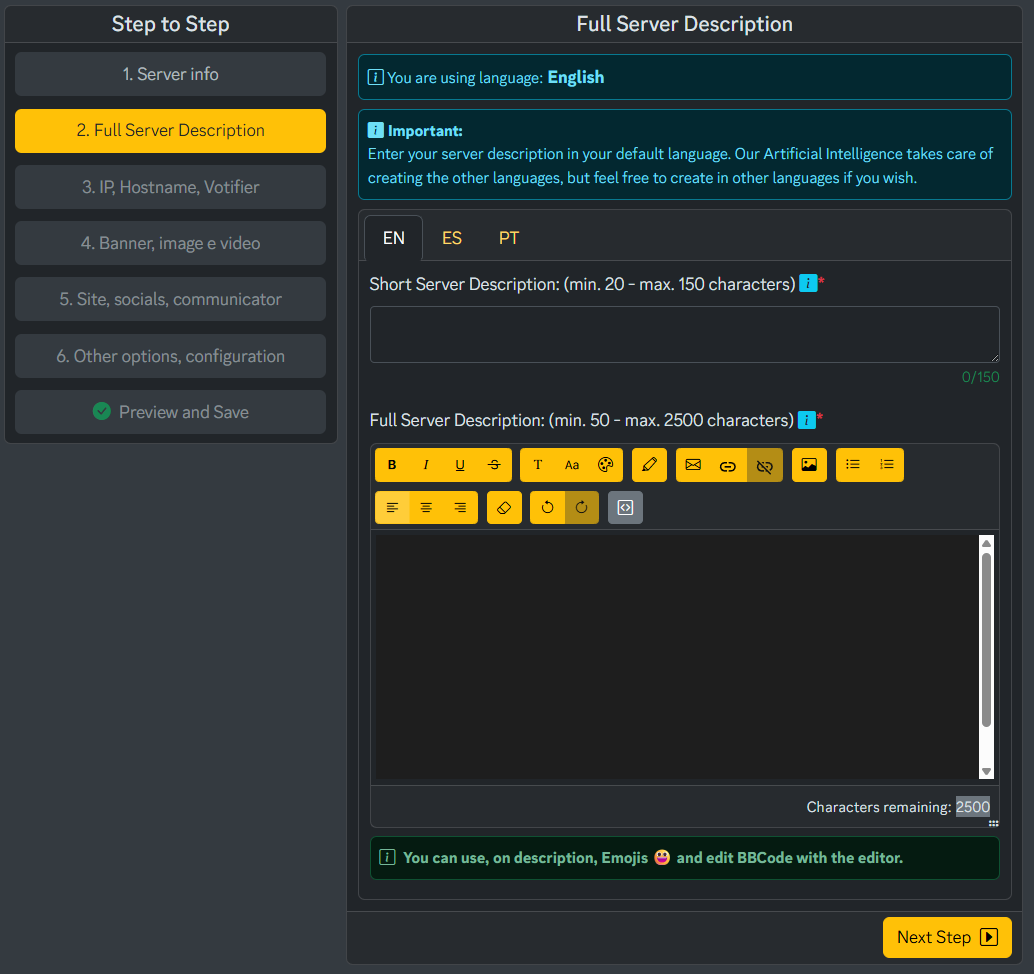
This is one of the most important steps for SEO. You will fill in:
- Short Server Description (20–150 characters)
- Full Server Description (50–2500 characters)
We highly recommend writing your main description manually and then using AI tools like ChatGPT or Gemini to refine it and translate it into English, Spanish and Portuguese. The more complete your descriptions, the higher your server’s ranking potential.
5. Configure server IP and Votifier
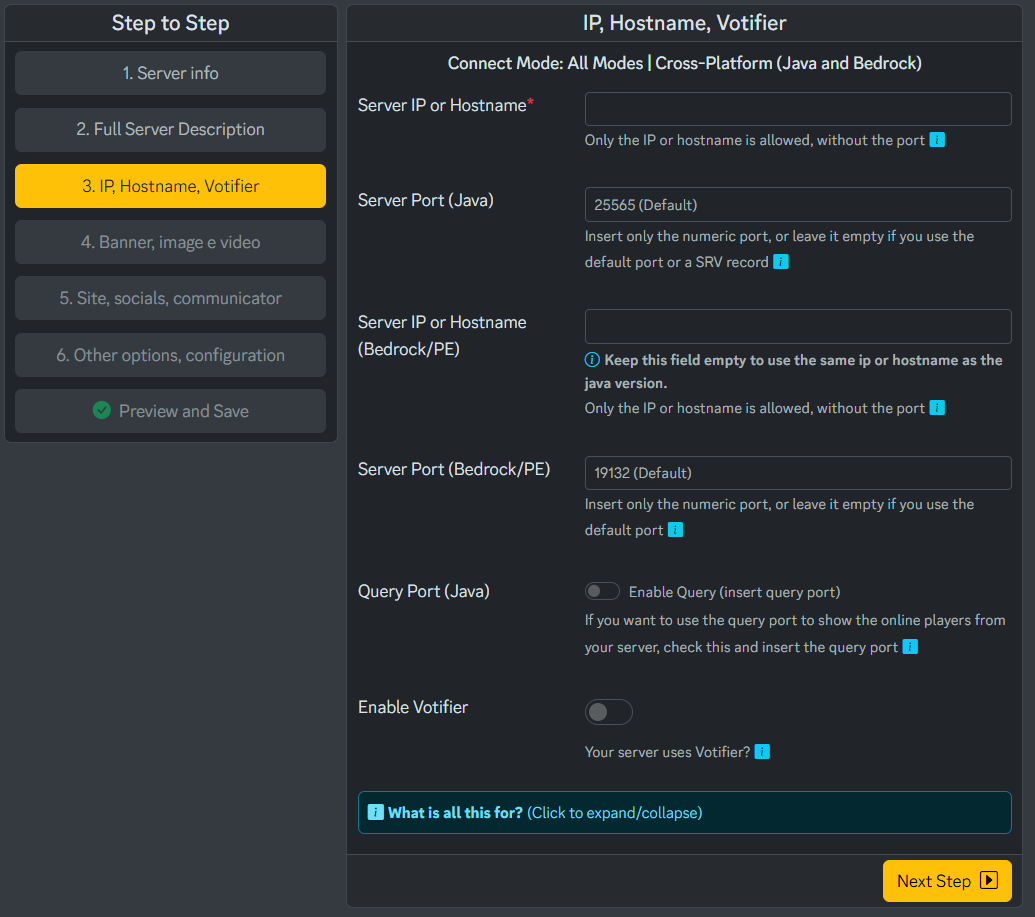
- Server IP or Hostname: A hostname is preferable.
- Server Port (Java): Leave blank if using 25565.
- Bedrock IP: Leave empty to use the same address.
- Bedrock Port: Leave blank if using 19132.
- Query Port: We recommend leaving this option disabled.
Enabling Votifier
Activating Votifier is extremely important to receive votes from ListaMC. Once enabled, fill in:
- Votifier IP or Hostname
- Votifier Port
- Public Key
Use NuVotifier with a vote-reward plugin to motivate players to vote. More votes mean a higher position in the server list.
6. Upload your media: Icon, Banner and Video
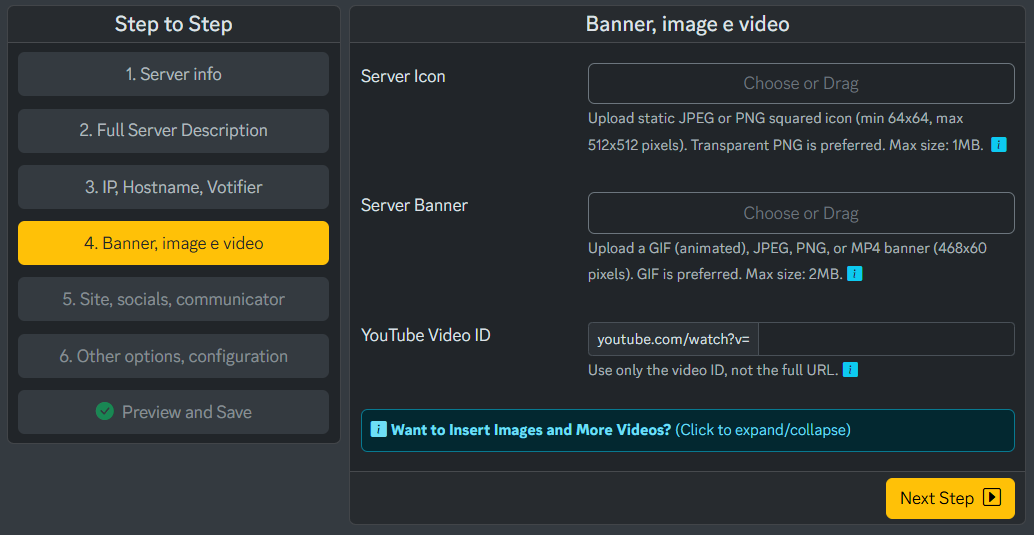
- Server Icon: PNG or JPG between 64x64 and 512x512.
- Server Banner: GIF recommended (468x60).
- YouTube Video ID: If you have a server trailer.
You can create a free animated banner at: https://auto.creavite.co/animated-banners
7. Add your external links
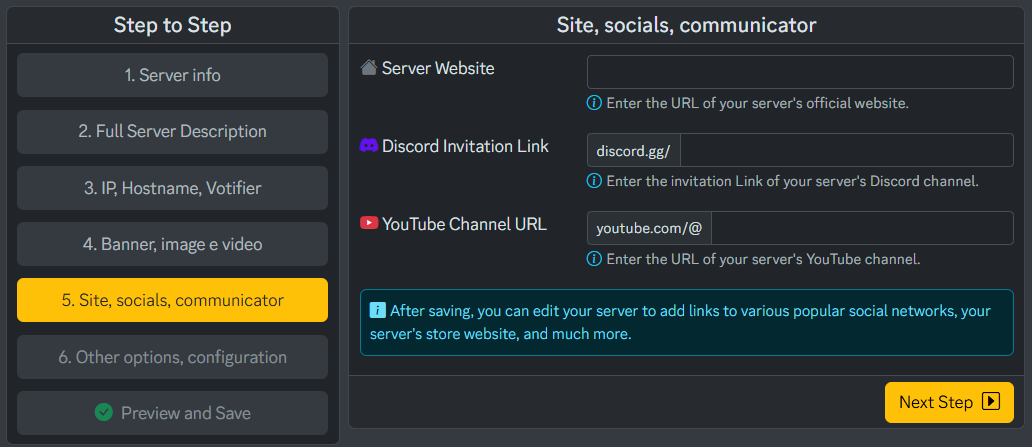
- Server Website
- Discord Invite Link
- YouTube Channel URL
8. Account preferences
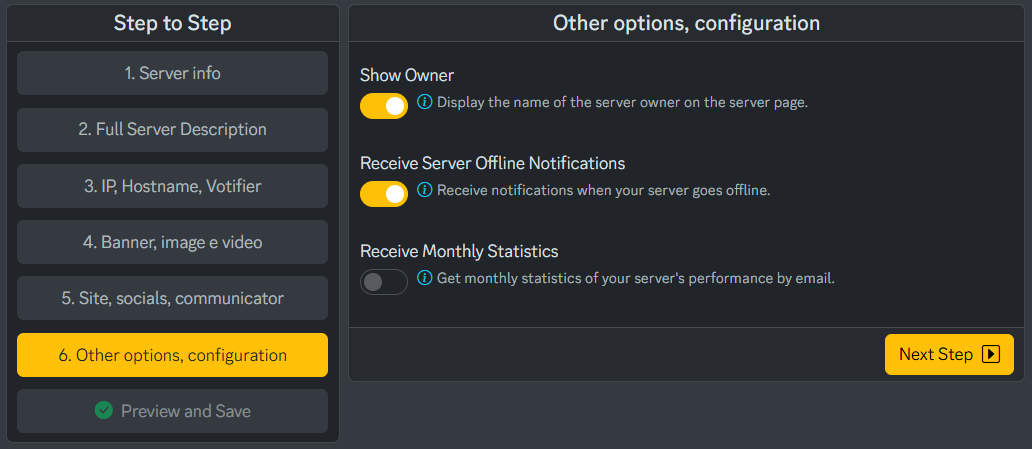
- Show Owner
- Receive offline notifications
- Receive monthly statistics by email
9. Review and publish
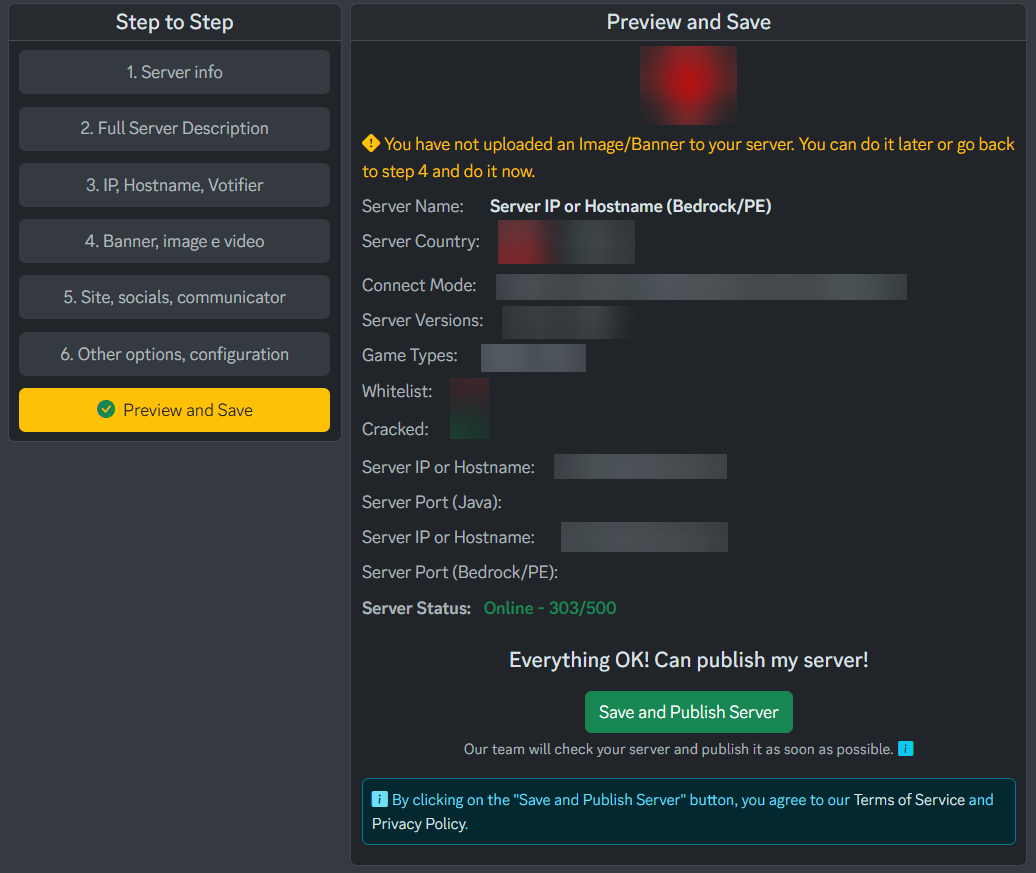
On the final step, you will see a preview page. If everything is correct, click:
Save and Publish Server
Your server will be manually reviewed within 5 minutes to 24 business hours. For quicker help, open a ticket on the official ListaMC Discord:
Our support team is available 24h to help you with Votifier, descriptions and any ListaMC setup.